Connecting the Entertainment Industry
OneFader - Release
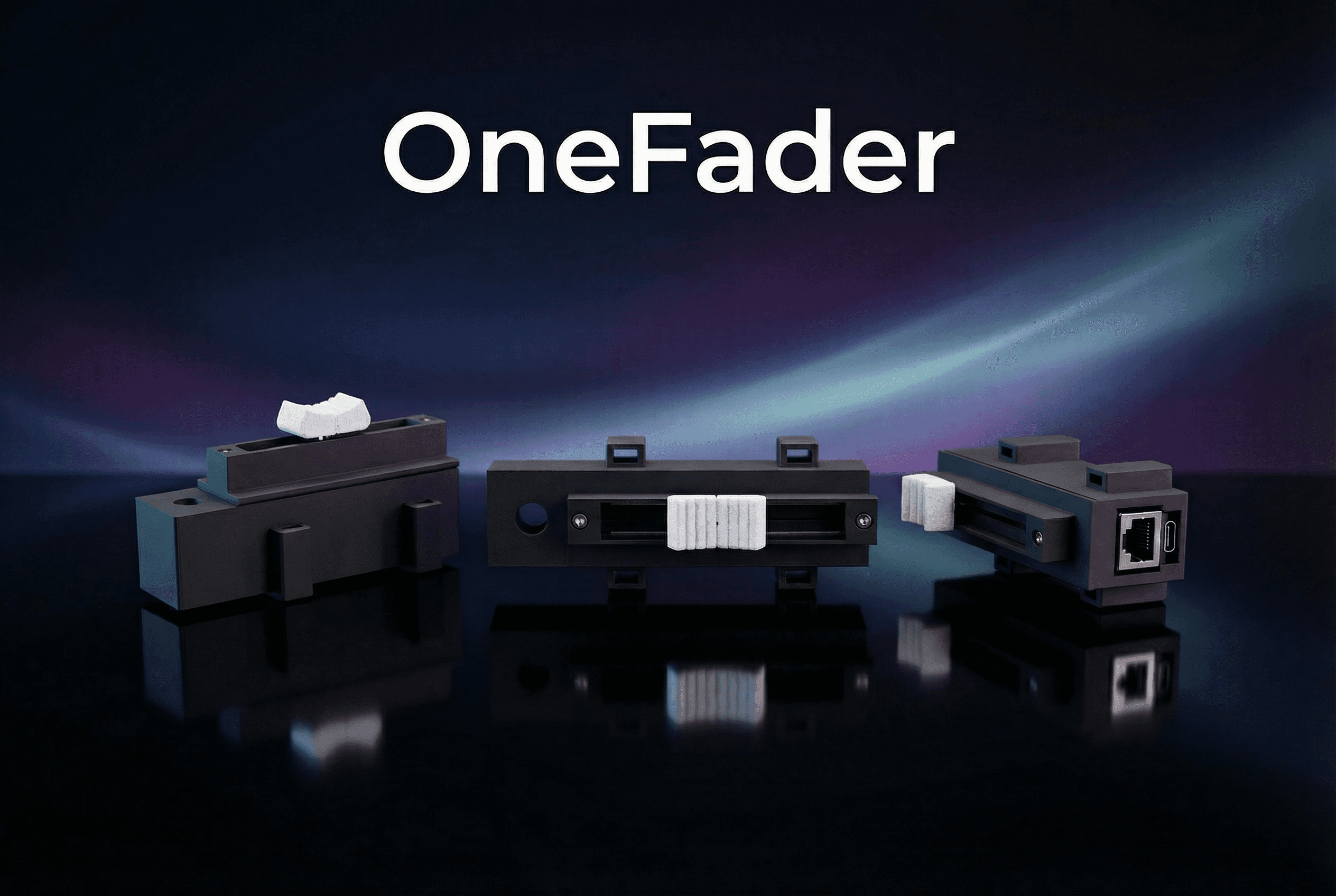
Introducing OneFader — A Simple Open-Source sACN Lighting Fader
We’re excited to release OneFader, a new open-source hardware project designed to bring simple, reliable physical control to sACN lighting networks.
OneFader connects a single physical slide potentiometer directly to a DMX channel over Ethernet, allowing lighting professionals and enthusiasts to add a standalone fader to their network without needing a console, drivers, or additional software.
The project is designed to be easy to build, easy to configure, and extremely dependable in real-world lighting environments.
A Physical Fader for Modern Lighting Networks
While many lighting systems rely on large consoles or complex control software, sometimes all that’s needed is one reliable fader.
OneFader provides exactly that: a compact hardware device that outputs sACN (E1.31) DMX data over Ethernet based on the position of a physical fader.
Because it communicates using standard sACN, the device integrates seamlessly with any compatible lighting console, media server, or control system.
Typical Uses
Manual dimmer control
Follow Spot Intensity Fader (Lustr on a stick)
Temporary lighting overrides
House lights or practicals
Fixture testing
Interactive lighting installations
Custom DIY lighting projects
Designed for Reliability
OneFader is built around the Waveshare ESP32-S3-ETH platform, providing reliable Ethernet networking and stable hardware performance.
The device runs entirely standalone, meaning:
No computer required
No drivers needed
No lighting console required
Once powered and connected to the network, OneFader begins transmitting DMX data immediately.
Output Modes
The fader output can be configured as:
8-bit DMX output — single channel control
16-bit DMX output — coarse/fine across two channels for higher resolution
This makes it compatible with virtually any sACN-capable lighting system.
Simple Web-Based Configuration
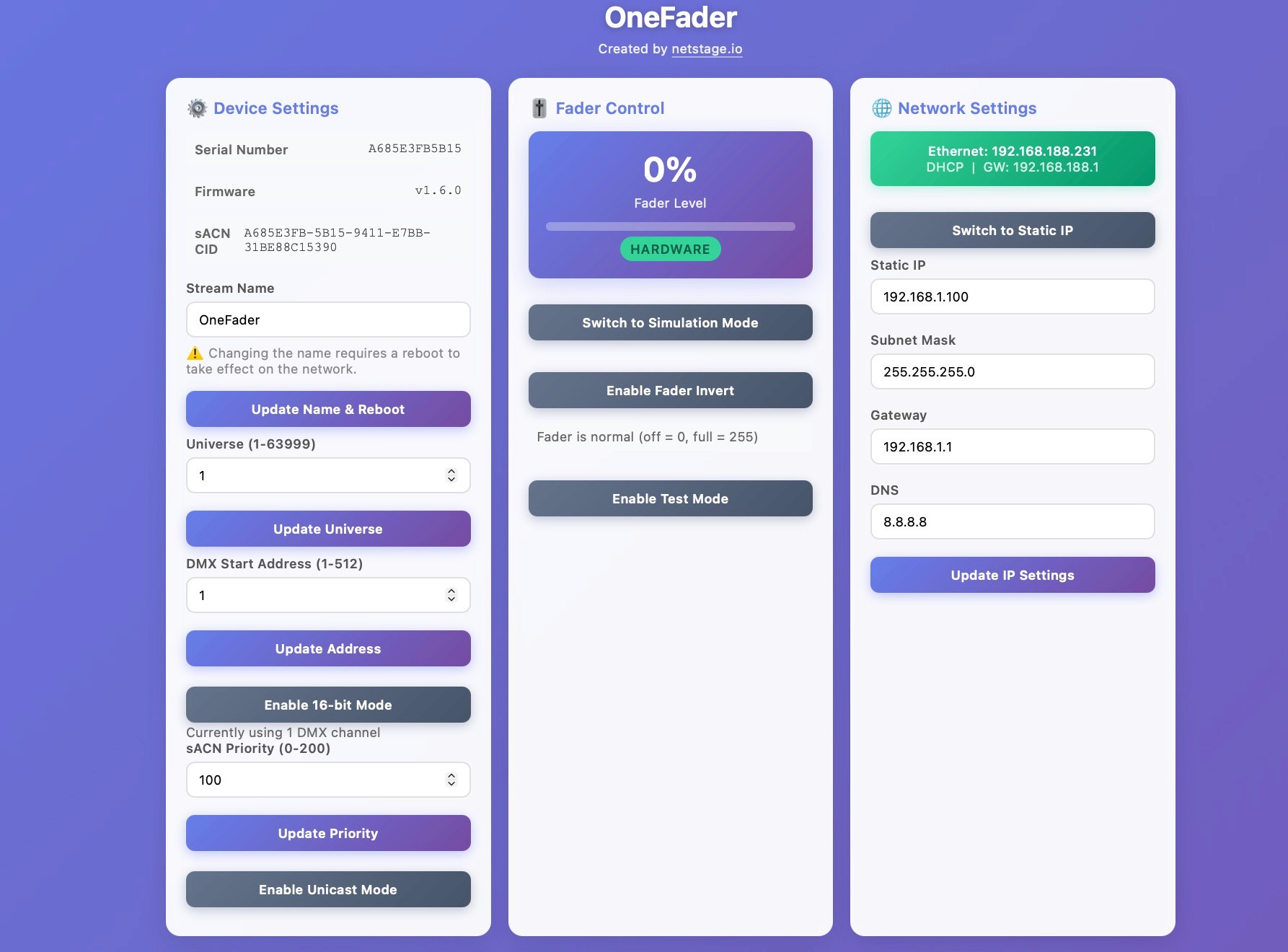
OneFader includes a built-in web interface that allows full configuration from any browser. Once connected to your network, simply navigate to the device’s IP address to access the control panel.
Configurable Settings
sACN universe
DMX start address
sACN stream name
sACN priority
multicast or unicast mode
DHCP or static IP networking
Built-In Tools
The web interface also includes several tools to simplify setup and testing:
Live fader value display
Simulation mode for testing without hardware
Test mode that sweeps the output automatically
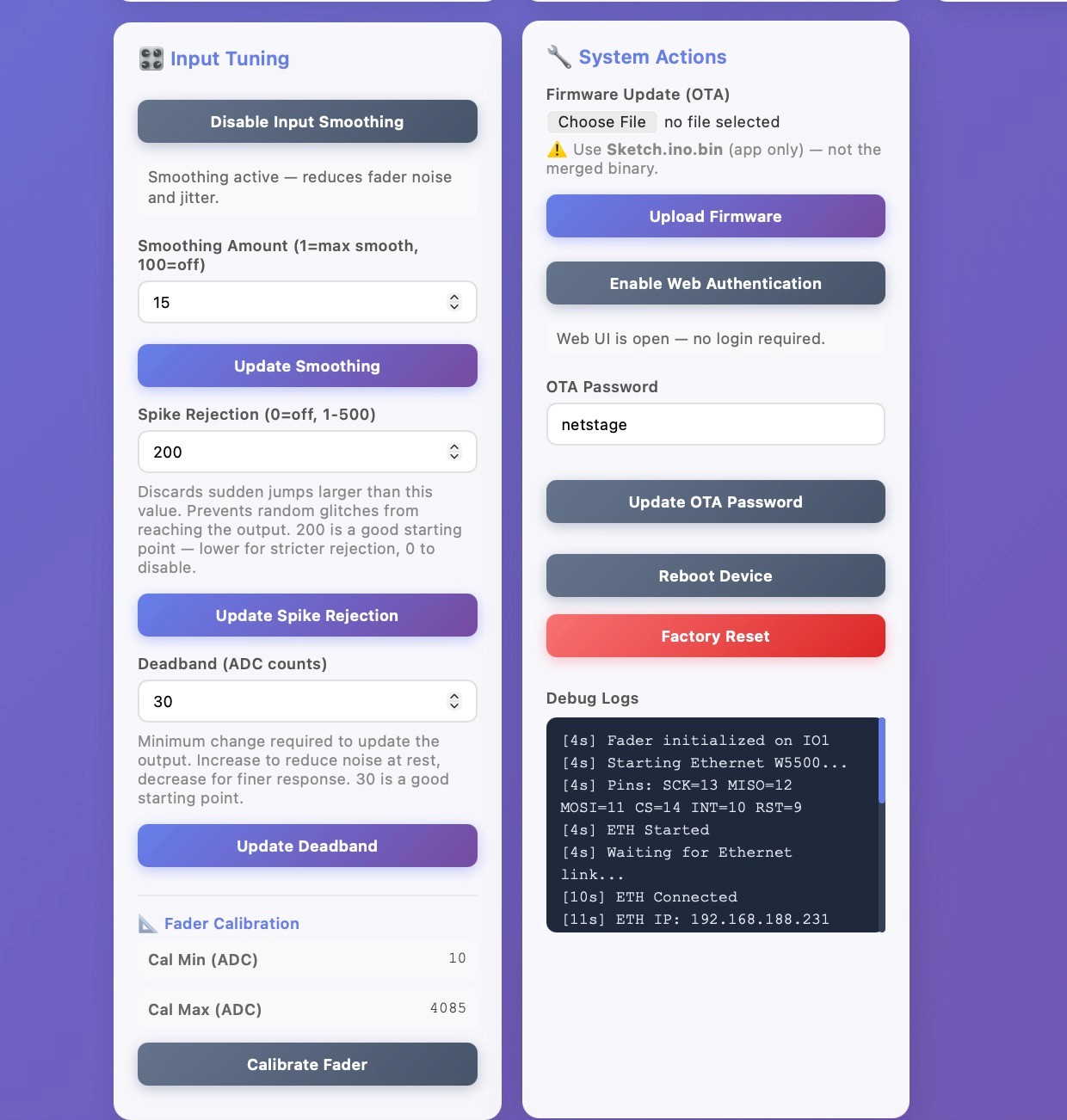
Fader calibration for precise 0–100% output
These tools make setup fast and help ensure reliable output in real installations.
Intelligent Input Processing
To ensure smooth control, OneFader includes built-in filtering and signal processing for the analog fader input.
Input Processing Features
EMA smoothing to reduce noise during slow movements
Spike rejection to filter electrical glitches
Deadband filtering to prevent flickering when the fader is stationary
These settings help produce stable DMX output even when using inexpensive potentiometers.
Easy Firmware Updates
Updating or installing firmware is extremely simple using the browser-based flashing tool.
Initial Flashing Steps
Connect the device via USB-C
Open the flashing tool in Chrome or Edge
Click Flash to Device
No additional software installation is required. A Tutorial will be on both Github and the Netstage website.
The tool can also:
View device status
Configure networking
Stream serial logs
Perform firmware updates
Open Source
OneFader is fully open source and released under the MIT License, allowing anyone to build, modify, or extend the project.
All documentation, firmware, and hardware information are available on GitHub.
We believe simple, transparent tools like this help make lighting technology more accessible to everyone.
What’s Next
While OneFader focuses on a single physical fader, we are already working on expanding the project to support multiple faders in future versions.
The goal is to evolve the concept into a modular system capable of supporting larger control surfaces while maintaining the same simplicity and reliability.
Get Started
You can explore the project, documentation, and source code here:
GitHub:
https://github.com/netstage-io/OneFader
Feedback, feature ideas, and contributions are always welcome as the project continues to grow.
UI Screenshots